Deleting Workspaces
Permanently delete workspaces and understand what happens to your data and team.
Workspace deletion is permanent and cannot be undone. All workspace data including projects, campaigns, landing pages, forms, and team members will be permanently removed.
Deleting a workspace permanently removes it from Firebuzz along with all associated data. This action is irreversible—only delete when you're certain you no longer need the workspace.
Before You Delete
Who Can Delete Workspaces
Only the workspace owner can delete a workspace. Admins and members cannot delete workspaces, even with full permissions.
If you're not the owner, contact them to request deletion or ownership transfer.
Active Subscription Requirement
You must cancel all active subscriptions before deleting a workspace. Deletion is blocked if any subscriptions are active, trialing, past due, incomplete, or unpaid.
To delete a workspace with a subscription:
- Cancel your subscription
- Wait for the subscription to expire (you retain access until the end of the billing period)
- Return to delete the workspace after it becomes inactive
You retain access until the end of your billing period after canceling. The workspace can only be deleted once the subscription fully expires.
Pre-Deletion Checklist
Before deleting your workspace, complete these steps:
Export important data:
- Download campaign assets you want to keep
- Export form submissions and analytics data
- Save copies of published landing pages
- Document custom branding or templates
Review what will be deleted:
- All projects and campaigns
- All landing pages and forms
- All team member access
- All workspace settings
Notify your team:
- Inform team members before deletion
- Allow time to save their work
- Provide alternative workspace access if needed
Cancel integrations:
- Disconnect CRM integrations
- Remove webhook configurations
- Disconnect analytics tools
Verify billing:
- Cancel active subscription first
- Download billing history if needed
What Gets Deleted
When you delete a workspace, all data is permanently removed:
- Projects and campaigns - All projects, campaigns, variants, and analytics
- Landing pages - Published and draft pages, custom domains, visitor data
- Forms - All forms, submissions, and response data
- Team access - All members, invitations, and role assignments
- Settings - Workspace name, logo, branding, and preferences
- Integrations - Connected services, webhooks, and API tokens
- Storage - Uploaded files and media
Data cannot be recovered after deletion. Firebuzz does not maintain backups of deleted workspaces. Once deleted, data is immediately removed from our systems.
How to Delete a Workspace
Follow these steps to permanently delete your workspace:
- Go to Settings in the sidebar
- Click Workspace
- Select the General tab
- Scroll to the Danger Zone section at the bottom
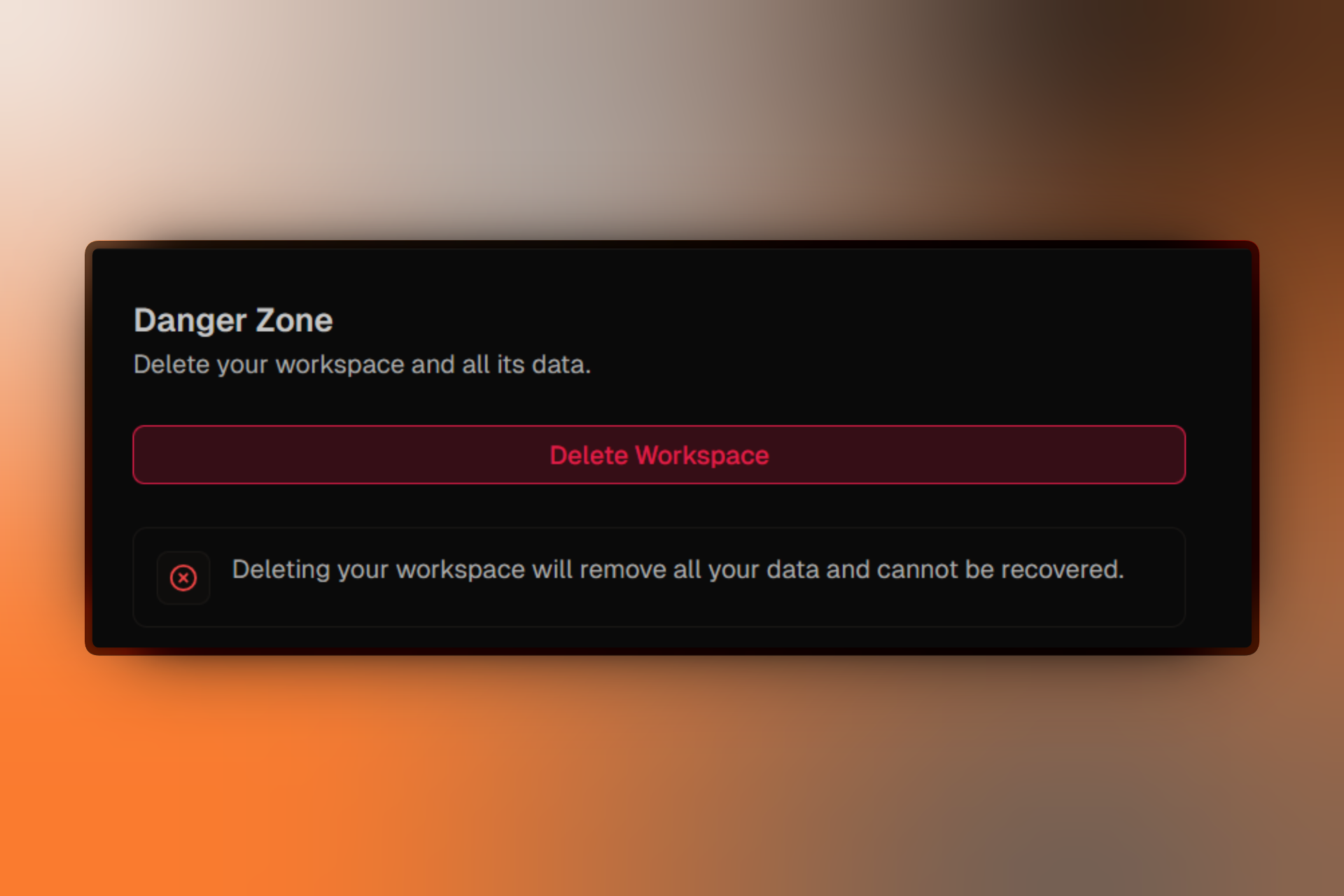
- Click Delete Workspace
- In the dialog, type DELETE MY WORKSPACE exactly as shown
- Click Delete to confirm
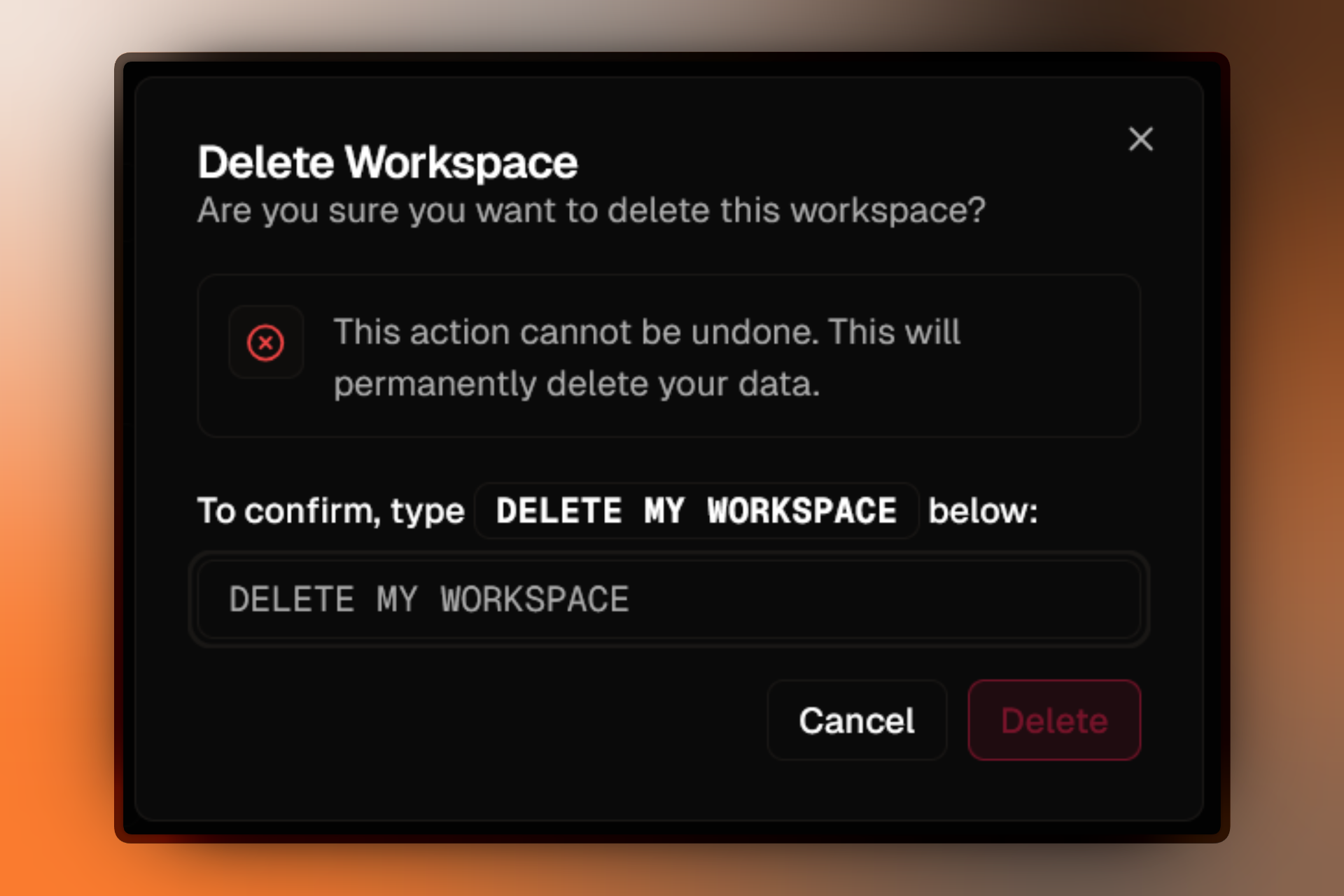
Your workspace and all data are deleted immediately. You'll be redirected to create a new workspace or switch to another workspace if you have multiple.
Deletion Confirmation
The deletion dialog requires you to type DELETE MY WORKSPACE exactly (case-sensitive, all caps) to prevent accidental deletions.
If the Delete button is disabled:
- Check you typed the confirmation text exactly as shown
- Ensure no active subscriptions are blocking deletion
What Happens to Team Members
When you delete a workspace:
All team members lose access immediately:
- The workspace disappears from their workspace switcher
- All projects, campaigns, and data become inaccessible
- Members do not receive notification of deletion
Members with only this workspace:
- Redirected to create a new personal workspace
- No data from the deleted workspace transfers
Members with multiple workspaces:
- Automatically switched to another workspace
- Continue using Firebuzz normally
Deleting a workspace does not affect team members' personal workspaces, Firebuzz accounts, or individual billing. Each workspace is completely isolated.
FAQ
Troubleshooting
For common errors during the deletion process, see Deletion Issues.
Alternatives to Deletion
Consider these alternatives before permanently deleting:
Archive projects instead - Archive inactive projects while keeping the workspace. Data remains recoverable and team members retain access. Learn more
Remove team members - Free up workspace seats by removing inactive members instead of deleting everything. Learn more
Cancel subscription - You must cancel your active subscription before you can delete a workspace. Once cancelled, you retain access until the end of your billing period. Learn more
Transfer ownership - If leaving the organization, transfer ownership to another member instead of deleting. Contact support to initiate an ownership transfer.
After Deletion
What remains:
- Billing records - Invoice history remains in Stripe for accounting compliance
- Team accounts - Individual Firebuzz accounts and personal workspaces remain active
- Landing pages - May remain cached on CDN for up to 24 hours before becoming inaccessible
Reusing workspace names:
You can create a new workspace with the same name after deletion. The new workspace is completely separate with no data from the deleted workspace. Workspace names are not permanently reserved.