Core Concepts
Understand the key building blocks of Firebuzz—workspaces, projects, campaigns, and more.
Firebuzz is built around a few key concepts. Understanding these will help you make the most of the platform.
Campaigns
Campaigns
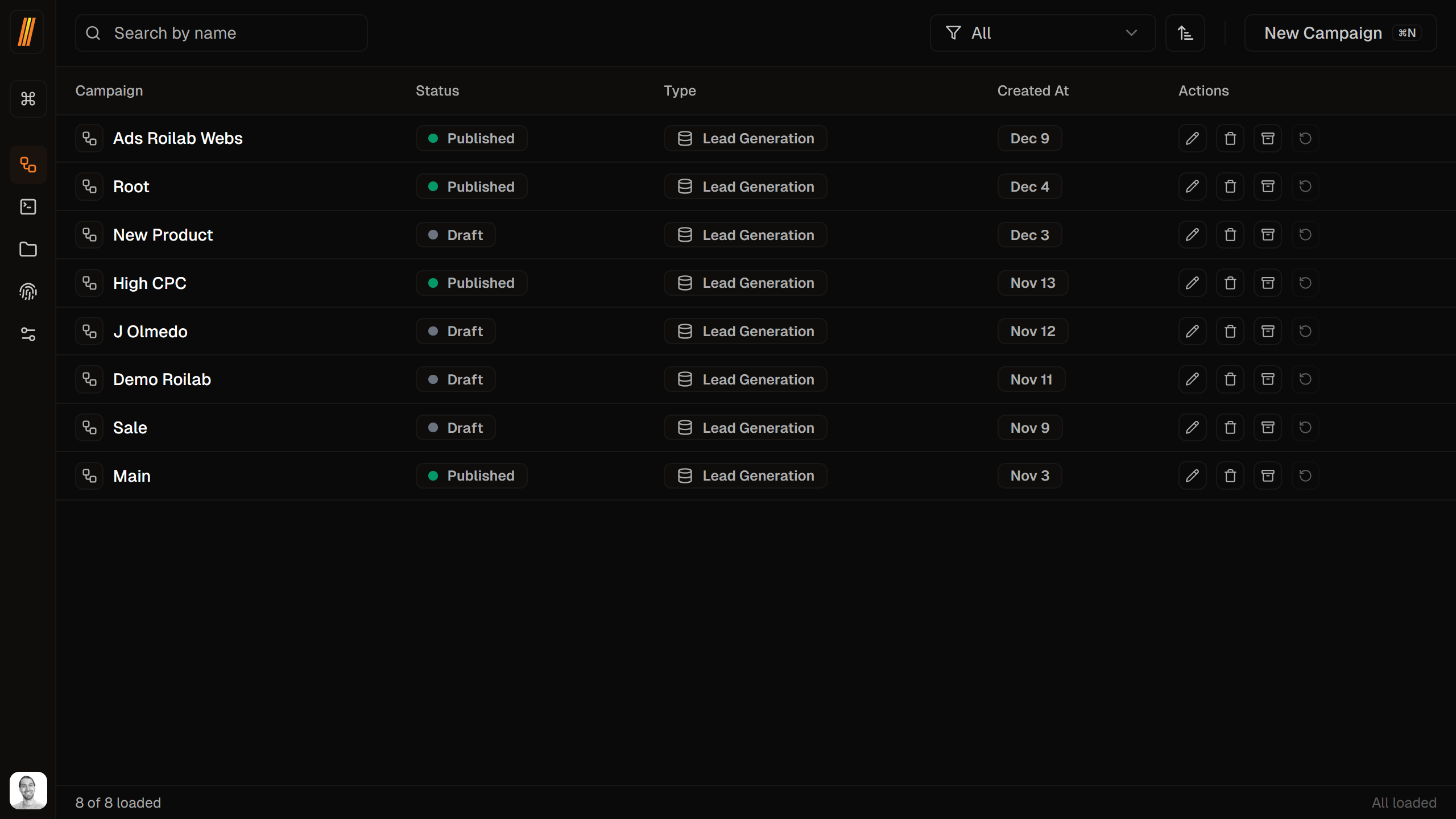
Campaigns are the core of Firebuzz. A campaign connects landing pages, audience segments, A/B test variants, and traffic distribution using a visual flow builder.
What's Inside:
- Landing page variants
- Audience segments
- Traffic distribution rules
- Forms and lead capture
- Analytics tracking
Landing Pages
Landing Pages
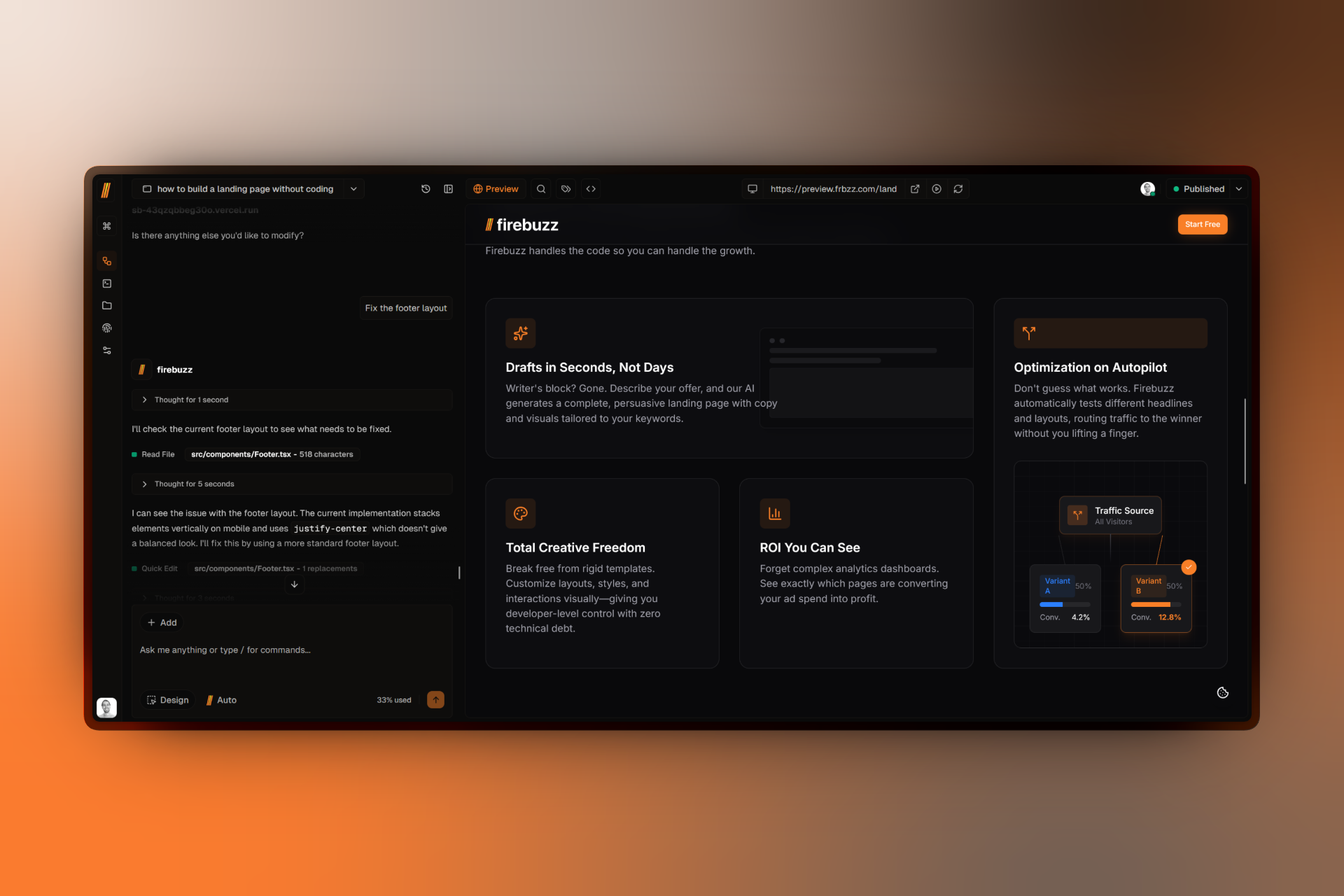
Landing pages are the web pages your visitors see. Build them visually with our drag-and-drop editor, or let AI generate complete pages from your prompt.
Features:
- Visual page builder (no code)
- AI-powered generation
- Responsive design
- Custom templates
- Version history
Variants
Variants & A/B Testing
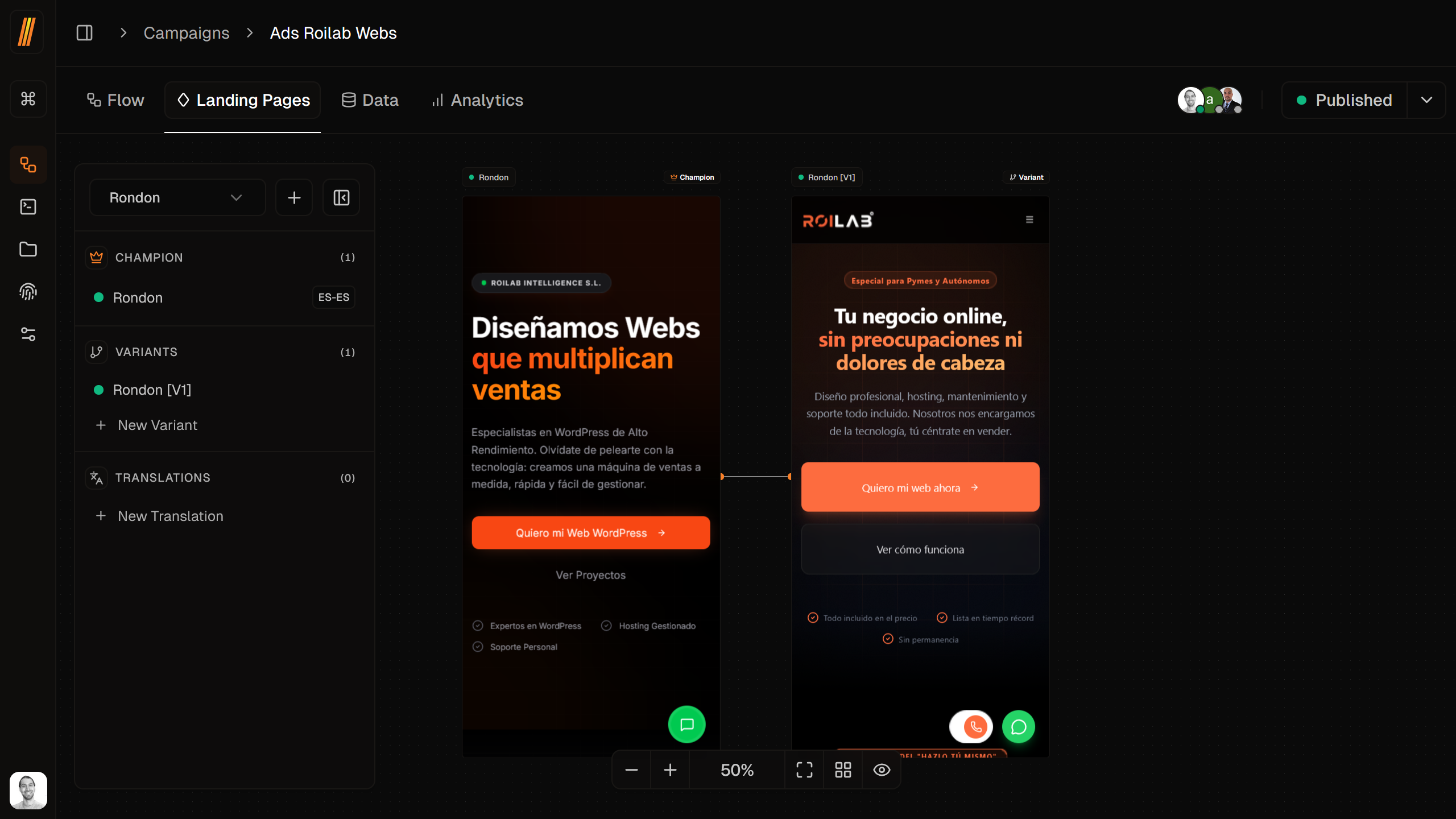
Variants let you test different versions of your landing pages to see what performs best. Create multiple variants within a campaign and Firebuzz will split traffic between them.
How It Works:
- Champion variant (current best performer)
- Multiple challenger variants
- Automatic traffic distribution
- Real-time performance tracking
Campaign Flows
Campaign Flows
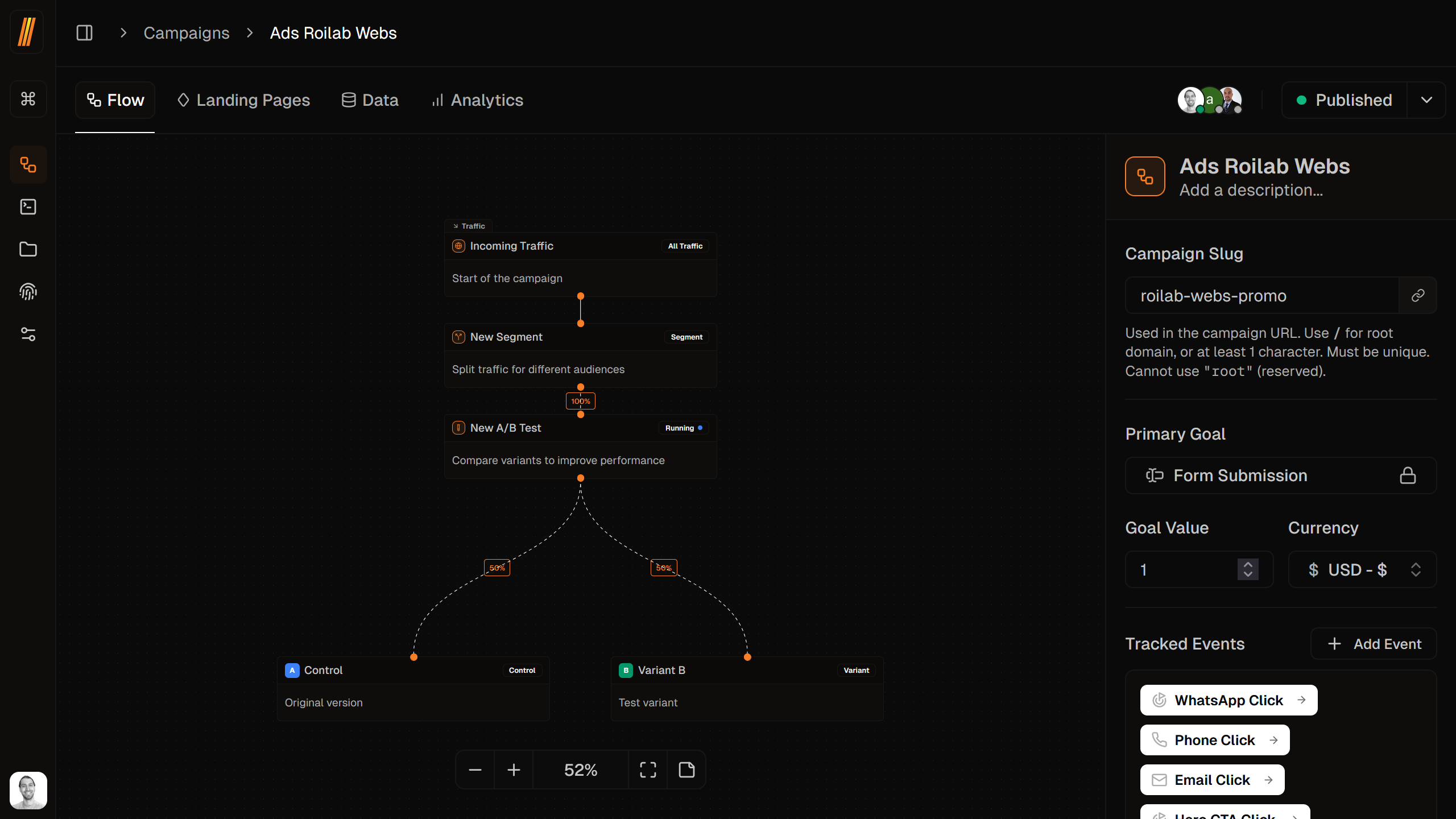
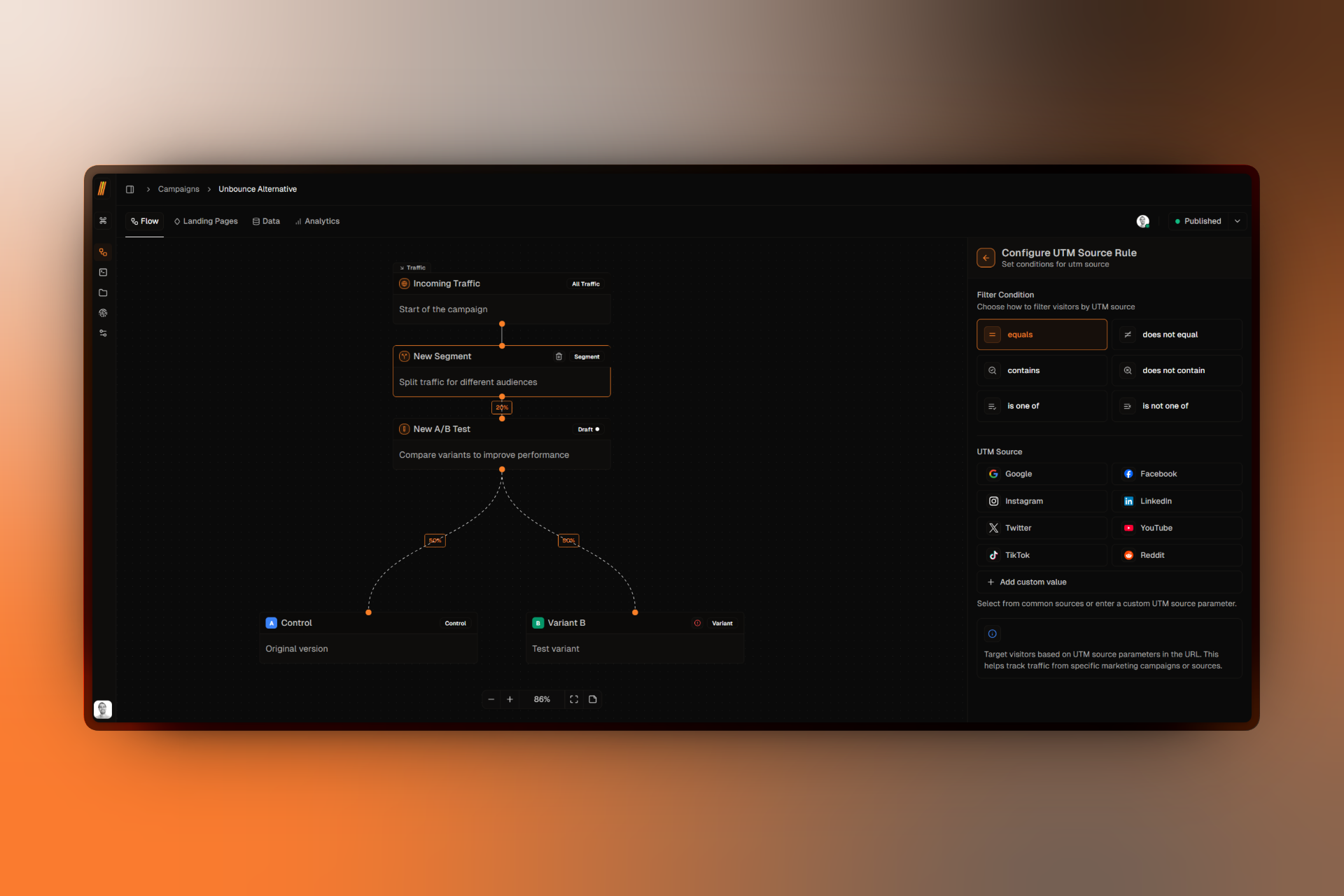
The campaign flow builder is where you design your marketing logic. Create visual flows that connect segments, variants, and traffic distribution rules to control exactly how visitors experience your campaigns.
Flow Features:
- Visual drag-and-drop interface
- Connect segments to variants
- Set traffic distribution percentages
- Real-time flow validation
- Clone and duplicate flows
Audience Segments
Audience Segments
Segments let you show different content to different audiences based on rules you define. Target by location, device, referrer, URL parameters, and more.
Example Rules:
- Geographic location (e.g., visitors from California)
- Device type (mobile vs. desktop)
- Traffic source (e.g., from Google Ads)
- Custom parameters (e.g.,
?plan=premium)
Forms
Forms & Lead Capture
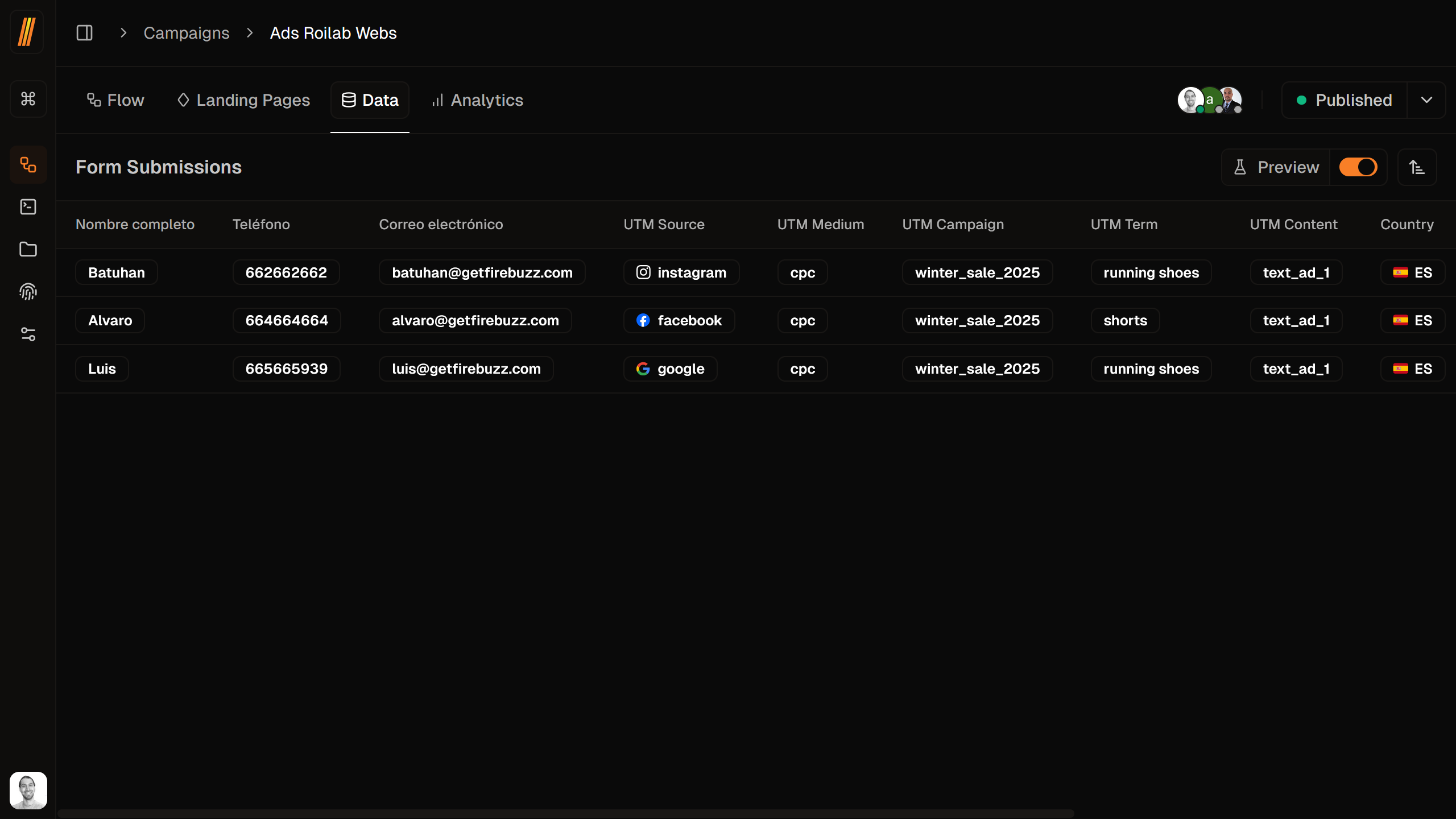
Forms capture leads and collect visitor information. Create forms directly through the AI builder when generating landing pages, then view all submissions in the data tab.
Features:
- AI-powered form generation
- Multiple field types supported
- Automatic validation
- Real-time submission tracking
- Data export (CSV, Excel)
- Analytics and insights
Analytics
Analytics & Insights
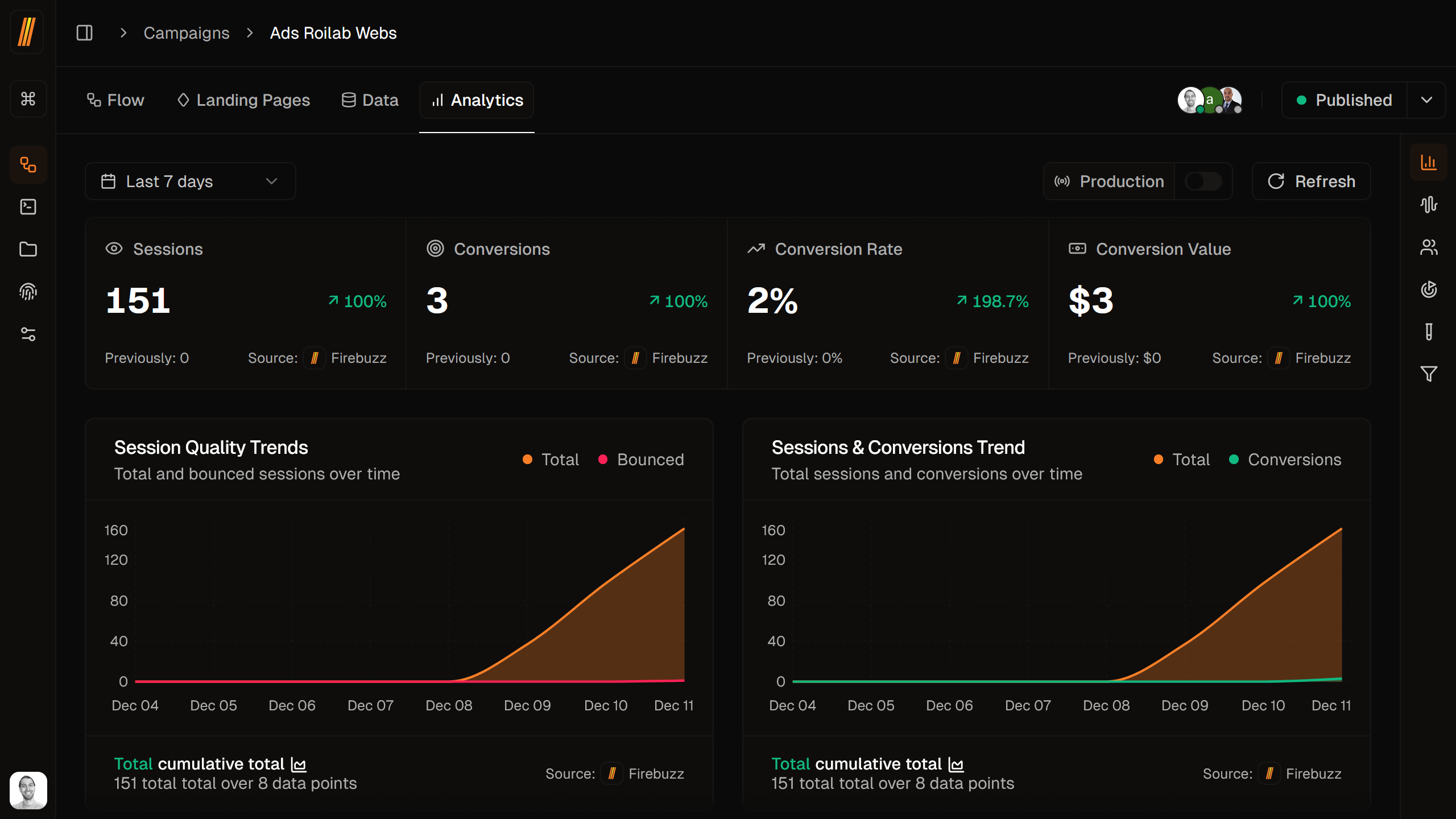
Track and analyze your campaign performance with comprehensive analytics. Monitor visitor behavior, conversion rates, A/B test results, and form submissions to optimize your marketing efforts.
Analytics Features:
- Real-time visitor tracking
- Conversion funnel analysis
- A/B test performance comparison
- Geographic and device breakdowns
- Custom event tracking
- Export data for deeper analysis
Workspaces
Workspaces
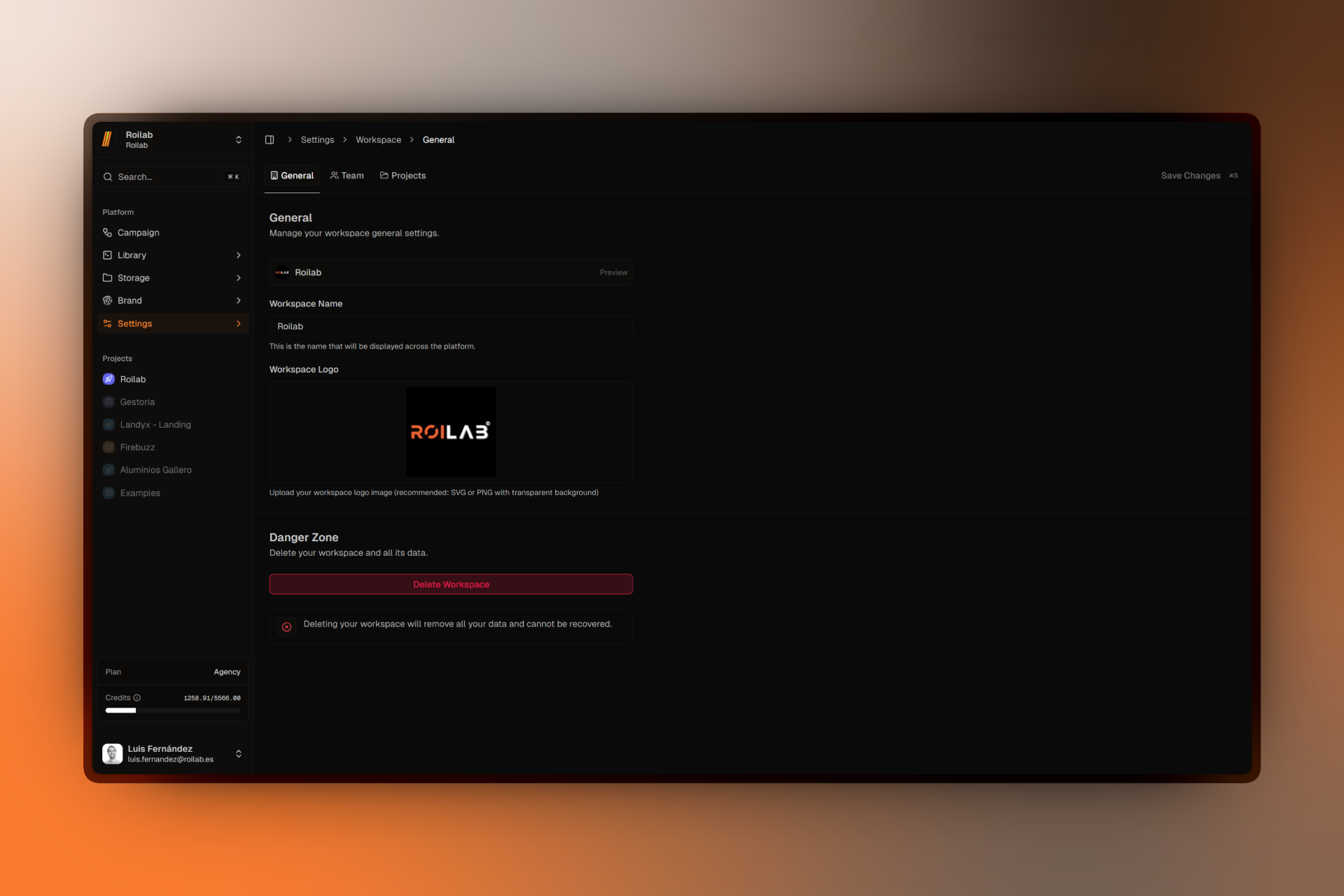
Workspaces are the top-level container for your organization. Each workspace has its own team members, projects, campaigns, and settings. Use workspaces to separate different clients, brands, or teams.
Key Features:
- Invite unlimited team members
- Assign roles and permissions
- Share templates across projects
- Centralized billing and usage
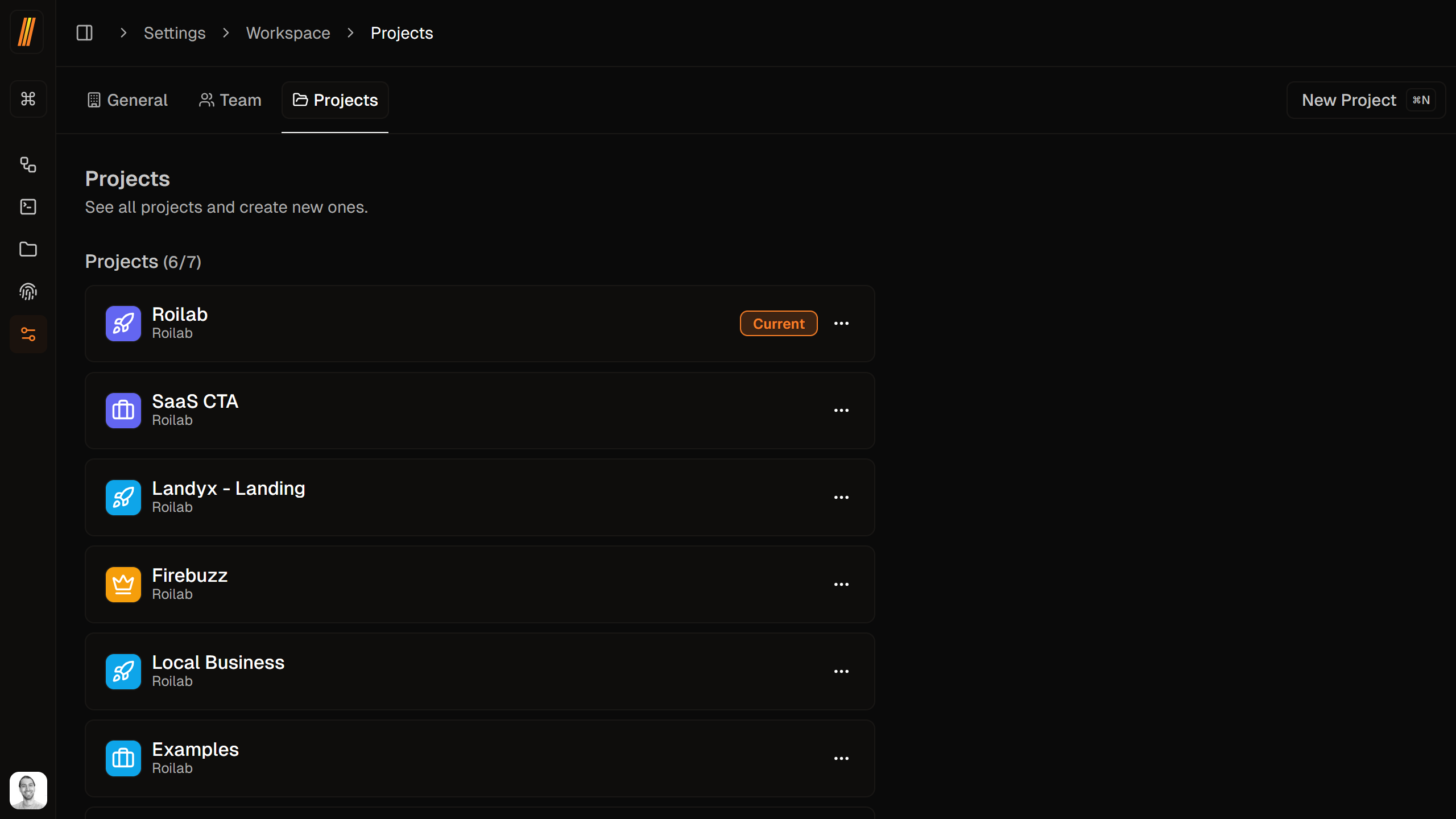
Projects
Projects
Projects group related campaigns together within a workspace. Think of them as folders for organizing your marketing initiatives by product, client, or season.
Use Cases:
- Separate campaigns by product line
- Organize by marketing channel
- Group seasonal promotions
- Client-specific projects
How They Work Together
Here's how these concepts connect in a typical workflow:
- Campaign → Defines your marketing initiative
- Landing Pages → The actual pages visitors see
- Variants → Different page versions for A/B testing
- Campaign Flows → Visual builder connecting segments and variants
- Segments → Split traffic by audience
- Forms → Capture leads on landing pages
- Analytics → Track performance and optimize
- Workspace → Contains your team and all projects
- Project → Organizes related campaigns
Visual Overview
Workspace
└── Project 1
    └── Campaign A
        ├── Segment: US Visitors
        │   └── Variant A (Landing Page + Form)
        └── Segment: EU Visitors
            └── Variant B (Landing Page + Form)
FAQ
Troubleshooting
Need help with core concepts? Check these guides:
- Workspace Creation Issues - Problems creating or setting up workspaces
- Permission Issues - Access and role problems
- Campaign Publishing Errors - Campaign won't go live
- Segment Not Working - Audience targeting issues
For complete troubleshooting information, visit Troubleshooting.
What's Next?
Ready to start building? Check out these guides:
Quickstart Guide
Build your first campaign in 5 minutes with step-by-step instructions
Campaign Flow Builder
Master the visual flow builder for advanced campaign configuration
Visual Page Builder
Learn all features of the drag-and-drop page builder
Audience Segments
Create advanced targeting rules for personalized experiences
A/B Testing
Set up and optimize A/B tests with multiple variants
Analytics Setup
Track performance and understand visitor behavior