Creating Campaigns
Step-by-step guide to creating your first marketing campaign in Firebuzz.
Creating a campaign is the first step to launching your marketing experience. Follow this guide to set up your campaign and start building your flow.
Creating a New Campaign
- Go to your project → Campaigns
- Click Create Campaign⌘N
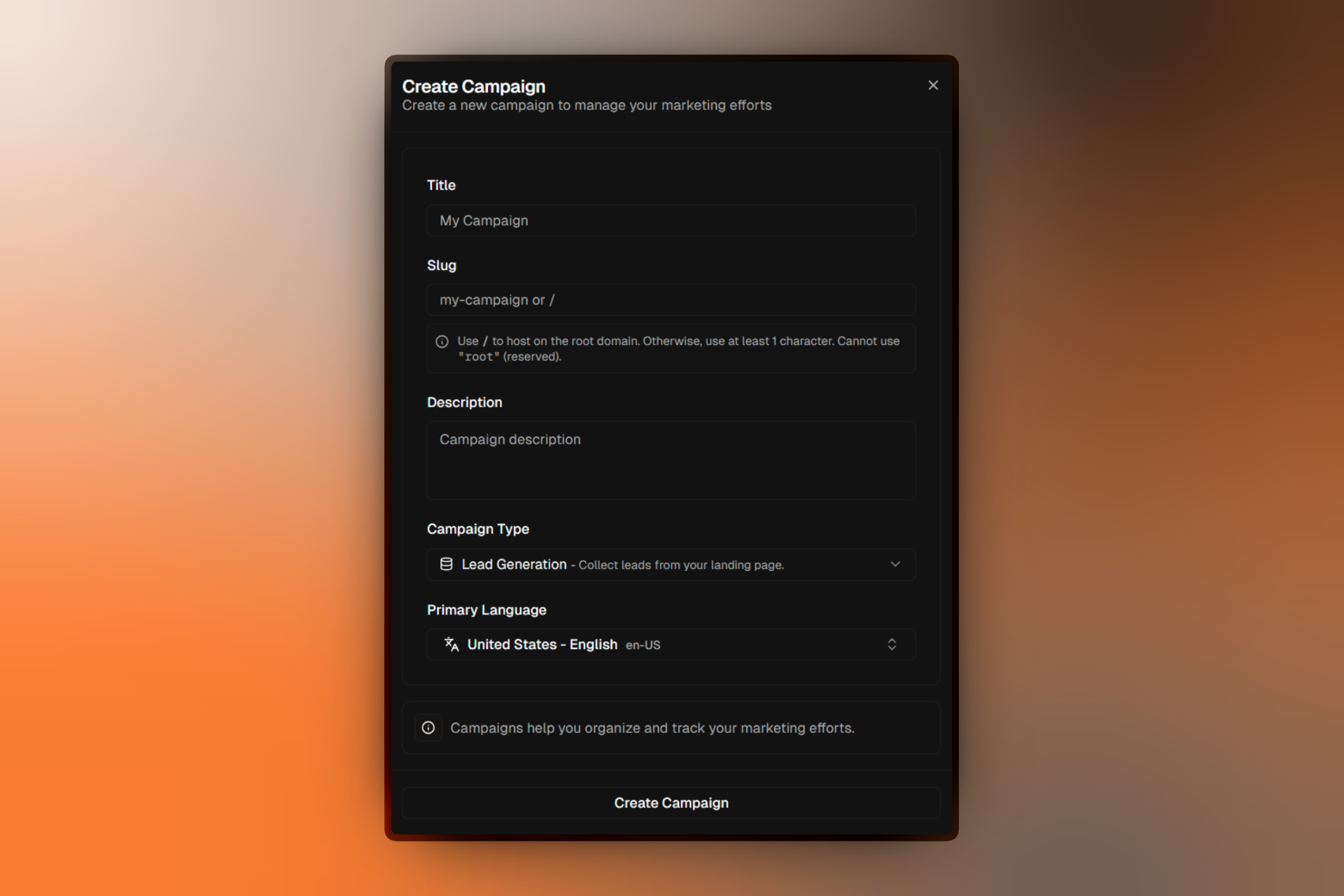
Campaign Details
Fill in the following fields to configure your campaign:
Title
Title:The campaign title is for internal identification. Choose something descriptive that your team will recognize.
Slug
Slug:The slug determines the URL path where your campaign will be published:
| Slug | Published URL |
|---|---|
summer-sale | yourdomain.com/summer-sale |
/ | yourdomain.com/ (root domain) |
Use / to host your campaign on the root domain. The word "root" is reserved and cannot be used.
Description
Description:An optional description for internal reference. This helps your team understand the campaign's purpose.
Campaign Type
Lead Generation
Collect leads through forms on your landing pages. Ideal for newsletters, demos, and gated content.
Click Through
Direct visitors to a specific URL. Perfect for product launches and promotional redirects.
Primary Language
Select the primary language for your campaign content. This affects AI-generated content and localization features.
What Happens Next
Click Create Campaign to finish. You'll be redirected to the Flow Builder where you can:
- Add segments to target different audiences
- Create A/B tests to compare landing page variants
- Connect landing pages to your variants
Start simple with one segment and two variants. You can always add complexity later as you learn what works.
FAQ
Related Resources
- Campaign Settings — Configure notifications, GDPR, and advanced options
- Flow Builder — Design your campaign flow visually
- Creating Segments — Target specific audiences with rules