Campaign Basics
Learn the fundamentals of creating and managing campaigns in Firebuzz.
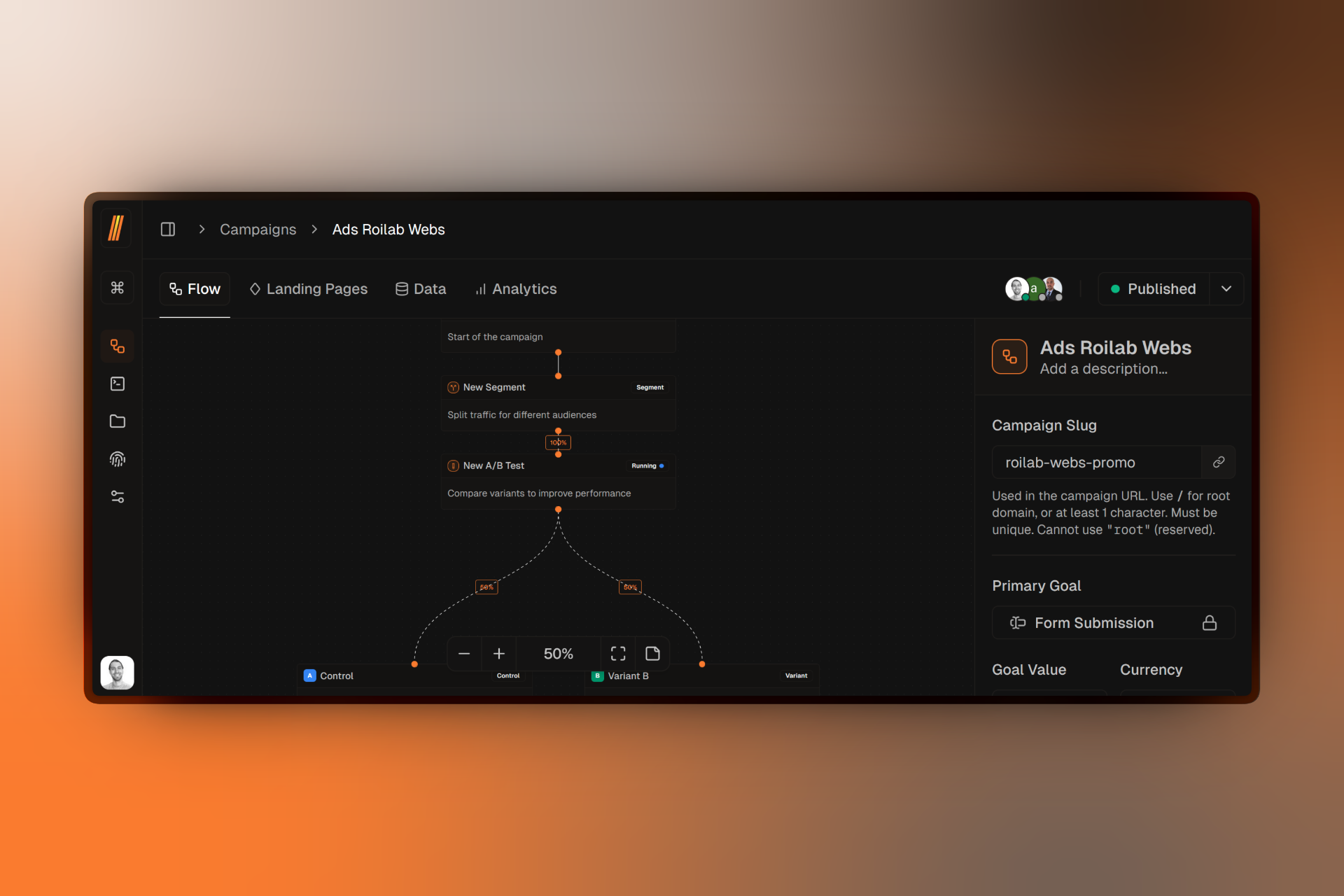
Campaigns are the core building blocks of your marketing efforts in Firebuzz. Each campaign represents a targeted marketing experience that you can publish to your custom domains.
Creating Campaigns
Learn how to create a new campaign step by step.
Campaign Settings
Configure goals, custom events, and primary conversion tracking.
GDPR Configuration
Set up cookie consent, privacy compliance, and geo-location targeting.
Managing Campaigns
Edit, delete, and organize your campaigns.
Campaign Types
When creating a campaign, you choose between two types based on your marketing goal:
Lead Generation
Collect leads through forms on your landing pages. Perfect for building email lists, capturing sign-ups, or generating qualified leads for your sales team.
Click Through
Redirect visitors to a specific URL after they engage with your landing page. Ideal for driving traffic to product pages, checkout flows, or external sites.
The campaign type you choose affects how conversions are tracked. Lead Generation campaigns track form submissions, while Click Through campaigns track CTA button clicks.
What's Inside a Campaign
Every campaign contains:
- Traffic Node — The entry point for all visitors (cannot be deleted)
- Segments — Define targeting rules to split traffic to different experiences
- A/B Tests — Compare landing page variants to find the best performer
- Variants — Individual landing pages linked to your A/B tests
- Notes — Add comments and annotations to your flow for team collaboration
Campaign Interface
When you open a campaign, you'll see four tabs:
Flow
Visual canvas for building your campaign structure with segments, A/B tests, and variants.
Landing Pages
Create and manage landing pages for this campaign.
Data
View form submissions and lead data.
Analytics
Track performance, conversions, and visitor behavior.
The Data tab is only available for Lead Generation campaigns. Click Through campaigns don't collect form submissions.
How Campaigns Work
Campaigns use a visual flow structure where visitors enter through the Traffic node and move through segments until they reach their assigned landing page variant.
- Visitor arrives at your campaign URL
- Targeting rules in segments determine which experience they see
- A/B tests assign the visitor to a specific variant
- Landing page displays based on their variant assignment
- Conversions are tracked based on your primary goal
Think of campaigns as decision trees. Each segment asks "Does this visitor match my rules?" and directs them to the appropriate experience.