Targeting Rules Reference
Complete reference for all targeting rule types available in Firebuzz segments.
Targeting rules define which visitors match a segment. Firebuzz offers 17 different rule types covering geography, device, behavior, and traffic source.
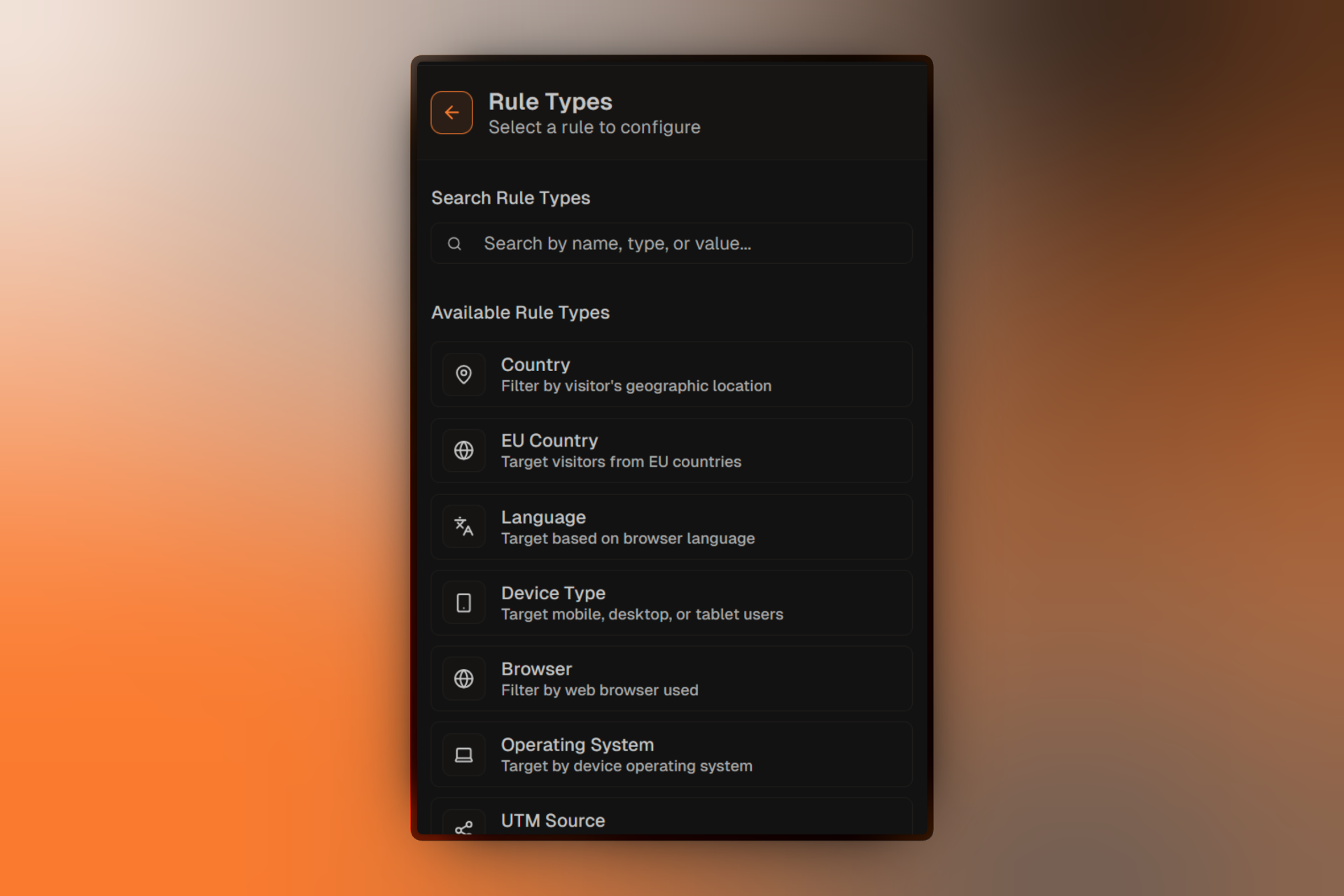
Geographic Rules
Country
Target visitors based on their geographic country, detected from IP address.
Operators:
- Is / Is not
- Is any of / Is not any of
Example: Show localized content to visitors from specific countries.
Time Zone
Target visitors based on their browser's reported time zone.
Operators:
- Is / Is not
- Is any of / Is not any of
Example: Show different CTAs based on visitor time zones.
Is EU Country
Target visitors from European Union member countries.
Operators:
- Yes / No
Example: Show specific messaging or content variations to EU visitors. For GDPR compliance, see GDPR Configuration.
Device & Browser Rules
Device Type
Target based on the visitor's device category.
Options:
- Desktop
- Mobile
- Tablet
Operators:
- Is / Is not
- Is any of
Example: Create mobile-optimized landing pages for smartphone users.
Browser
Target based on the visitor's web browser.
Options:
- Chrome
- Firefox
- Safari
- Edge
- Opera
- Other
Operators:
- Is / Is not
- Is any of
Example: Show browser-specific messaging or work around compatibility issues.
Operating System
Target based on the visitor's operating system.
Options:
- Windows
- macOS
- Linux
- iOS
- Android
- Other
Operators:
- Is / Is not
- Is any of
Example: Promote Mac-specific software to macOS users.
Language
Target based on the browser's preferred language setting.
Operators:
- Is / Is not
- Is any of / Is not any of
Example: Automatically show content in the visitor's preferred language.
Traffic Source Rules
Referrer
Target visitors based on where they came from (the referring URL).
Operators:
- Contains / Does not contain
- Starts with / Ends with
- Is / Is not
- Matches regex
Example: Show special offers to visitors coming from partner websites.
UTM Source
Target based on the utm_source parameter in the URL.
Operators:
- Is / Is not
- Contains / Does not contain
Example: Show different messaging to visitors from Google vs Facebook.
UTM Medium
Target based on the utm_medium parameter in the URL.
Operators:
- Is / Is not
- Contains / Does not contain
Example: Differentiate between email, social, and paid traffic.
UTM Campaign
Target based on the utm_campaign parameter in the URL.
Operators:
- Is / Is not
- Contains / Does not contain
Example: Show campaign-specific landing pages.
UTM Content
Target based on the utm_content parameter in the URL.
Operators:
- Is / Is not
- Contains / Does not contain
Example: Test different ad creatives by routing to different experiences.
UTM Term
Target based on the utm_term parameter in the URL.
Operators:
- Is / Is not
- Contains / Does not contain
Example: Show relevant content based on search keywords.
Custom Parameter
Target based on any custom URL parameter you define.
Configuration:
- Enter the parameter name
- Choose an operator
- Specify the value to match
Operators:
- Is / Is not
- Contains / Does not contain
- Exists / Does not exist
Example: Route visitors based on ?plan=enterprise to a dedicated enterprise landing page.
Behavioral Rules
Visitor Type
Target based on whether the visitor is new or returning.
Options:
- New visitor
- Returning visitor
Example: Show a welcome message to first-time visitors and a "welcome back" message to returning visitors.
Time-Based Rules
Day of Week
Target visitors based on the current day of the week (in their time zone).
Options:
- Sunday through Saturday
Operators:
- Is / Is not
- Is any of
Example: Show different promotions on weekends vs weekdays.
Hour of Day
Target visitors based on the current hour (in their time zone).
Options:
- 0-23 (24-hour format)
Operators:
- Is / Is not
- Is between
- Is any of
Example: Show "Call us now" only during business hours.
Combining Rules
AND Logic
All rules must match for the visitor to be assigned to the segment.
Use when: You want to narrow down to a very specific audience.
Rule 1: Country is "United States"
AND
Rule 2: Device type is "Mobile"
AND
Rule 3: UTM Source is "facebook"

Result: Only mobile users from the US who came from Facebook
OR Logic
At least one rule must match.
Use when: You want to include visitors matching any of several criteria.
Rule 1: Country is "United States"
OR
Rule 2: Country is "Canada"
OR
Rule 3: Country is "United Kingdom"

Result: Users from US, Canada, or UK
Rule Operator Reference
| Operator | Description | Example |
|---|---|---|
| Is | Exact match | Browser is "Chrome" |
| Is not | Not equal | Country is not "China" |
| Is any of | Matches any in list | Device is any of [Mobile, Tablet] |
| Is not any of | Matches none in list | Browser is not any of [IE, Opera] |
| Contains | Substring match | Referrer contains "facebook" |
| Does not contain | No substring match | URL does not contain "test" |
| Starts with | Begins with string | Referrer starts with "https://partner" |
| Ends with | Ends with string | Referrer ends with ".com" |
| Matches regex | Regular expression | URL matches ^/promo-\d+$ |
| Exists | Parameter is present | Custom param "affiliate" exists |
| Does not exist | Parameter is absent | UTM source does not exist |