Publishing Campaigns
Learn how to preview, schedule, and publish your campaigns to make them live for visitors.
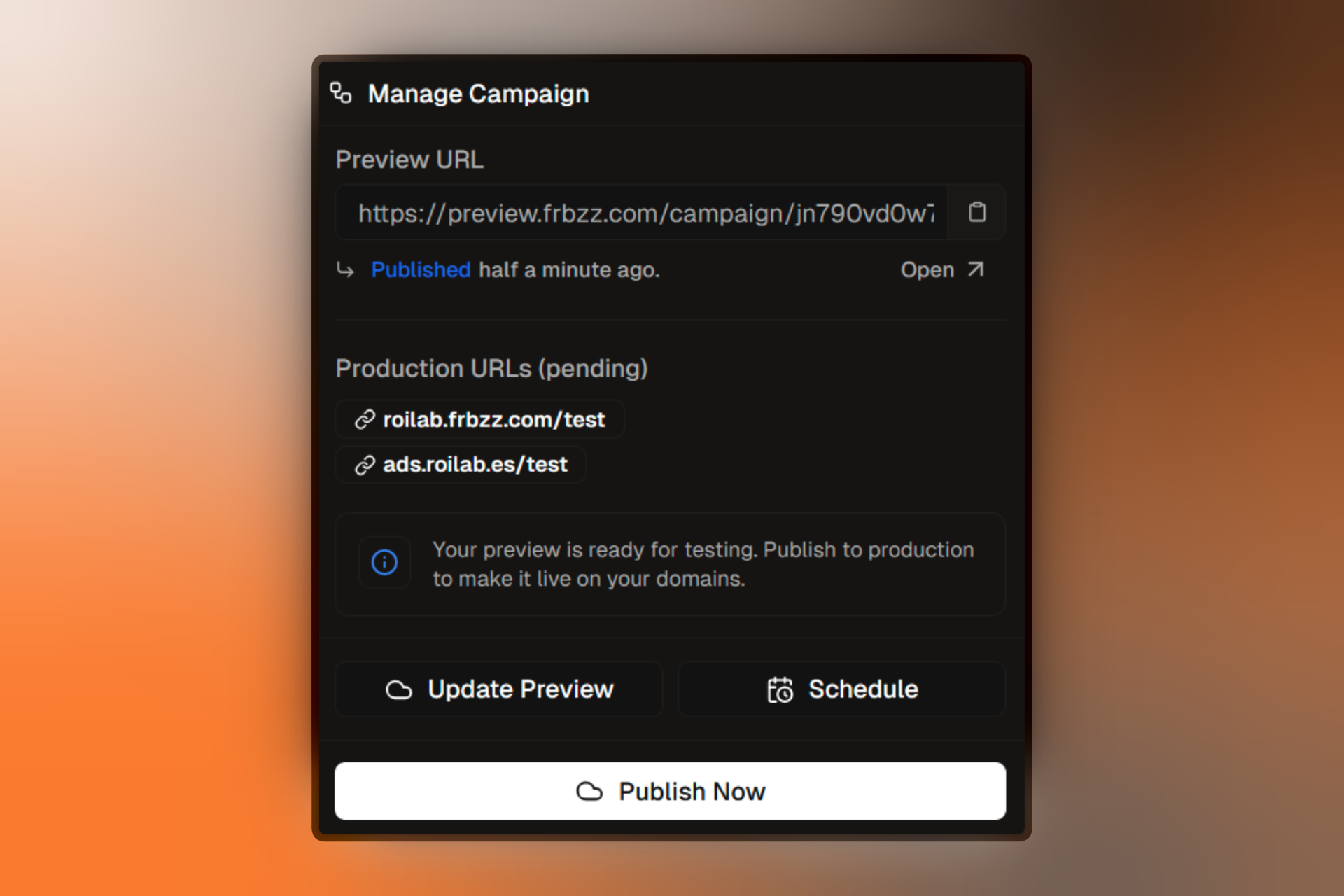
Publishing is the final step in launching your campaign. Firebuzz provides a multi-step publishing workflow with preview, scheduling, and production deployment options.
Publishing Workflow
Every campaign follows this publishing path:
Draft → Preview → Production (or Scheduled)Draft
Build and configure your campaign. Not visible to visitors.
Preview
Test your campaign on a private preview URL before going live.
Scheduled
Optionally schedule your campaign to go live at a specific time.
Published
Your campaign is live on your production domains.
Campaign Status Button
The status button in your campaign header controls publishing:
- Shows the current status (Draft, Preview, Scheduled, Published, Completed)
- Click to open the publishing menu with available actions
- Displays validation errors that prevent publishing
You cannot publish a campaign with validation errors. The publish button will be disabled until you fix all critical errors.
Preview Mode
Learn how to test your campaign before going live.
Going Live
Steps for publishing to production and managing live campaigns.
Publishing Requirements
Before you can publish, your campaign must pass validation:
Critical Requirements
- At least one segment with targeting rules
- Each segment has a primary landing page OR an active A/B test
- All A/B test variants have landing pages assigned
- Traffic percentages total 100% for each A/B test
- Campaign slug is unique within your project
Validation Indicators
The Flow Builder shows validation status on each node:
Valid Ready to publish
Error Must be fixed before publishing
Quick Reference
Publishing Actions by Status
| Current Status | Available Actions |
|---|---|
| Draft | Publish to Preview |
| Preview | Update Preview, Schedule, Publish Now |
| Scheduled | Reschedule, Cancel, Publish Now |
| Published | Update, Mark Complete |
| Completed | Reactivate |
What Each Action Does
| Action | Result |
|---|---|
| Publish to Preview | Creates preview URL, status → Preview |
| Update Preview | Refreshes preview with latest changes |
| Schedule | Sets future publish date, status → Scheduled |
| Publish Now | Goes live immediately, status → Published |
| Mark Complete | Ends campaign, status → Completed |
| Reactivate | Resumes campaign, status → Published |