Segments & Targeting
Learn how to segment your audience and target visitors with personalized experiences based on rules.
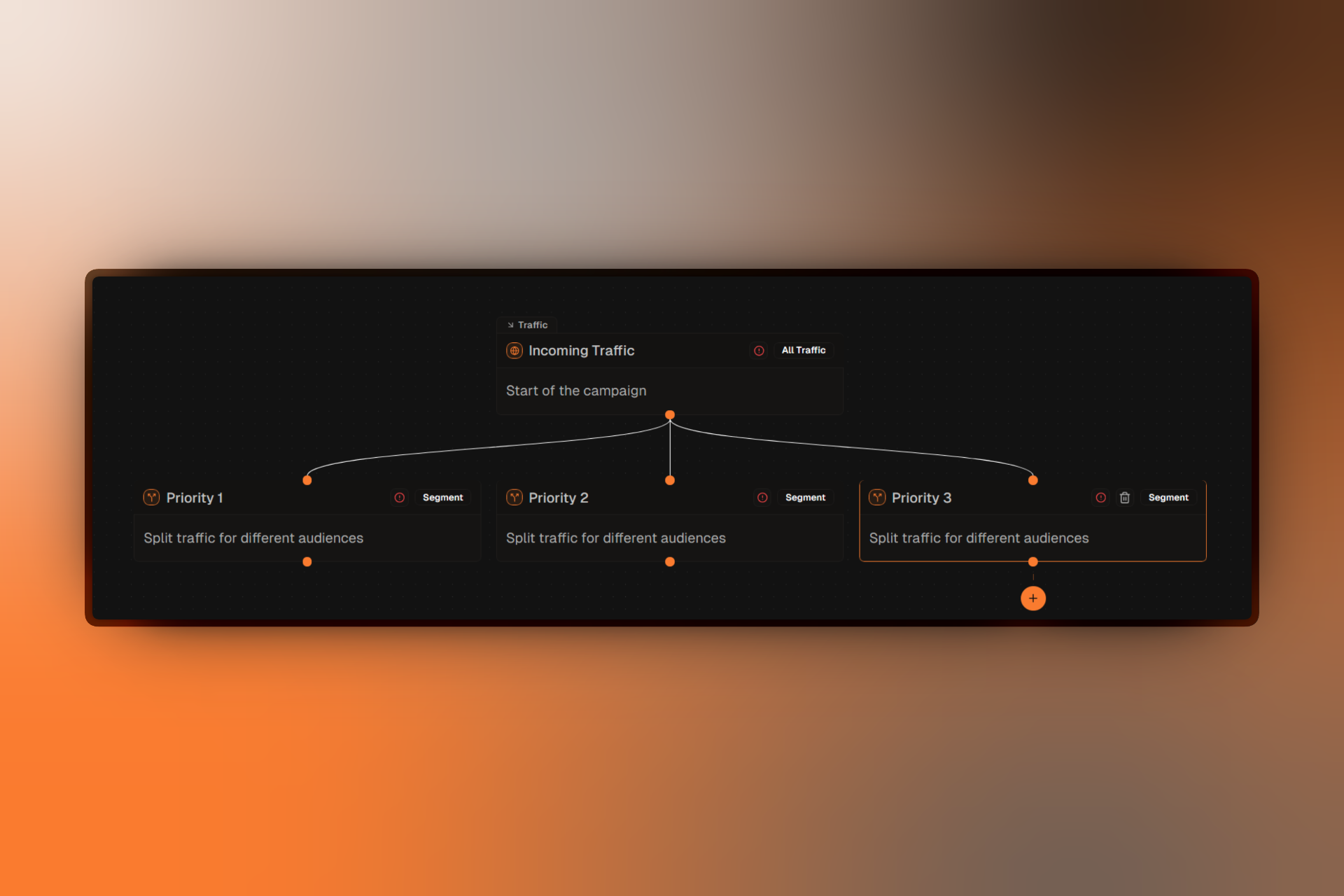
Segments let you divide your campaign traffic and show different experiences to different visitors. Use targeting rules to define exactly who sees what.
What Are Segments?
A segment is a defined group of visitors who share common characteristics. When visitors arrive at your campaign, Firebuzz evaluates them against your segment rules and routes them to the appropriate experience.
Audience Targeting
Define who sees each experience based on location, device, behavior, and more.
Personalization
Create tailored experiences for different visitor types without separate campaigns.
17 Rule Types
Choose from browser, country, device, language, UTM parameters, and many more targeting options.
How Segments Work
Every campaign starts with a Traffic node that captures all visitors. You then add segments below it to split that traffic:
All Traffic
    ├── Mobile Users from US (matches first = assigned here)
    ├── Desktop Users (if not matched above, check this)
    └── Everyone Else (fallback segment)
Priority Order
Segments are evaluated in priority order from top to bottom:
- When a visitor arrives, the first segment's rules are checked
- If they match, they're assigned to that segment
- If not, the next segment is checked
- This continues until a match is found
Always put your most specific segments first and more general segments lower in the priority list.
Fallback Behavior
If a visitor doesn't match any segment, they:
- See the primary landing page of the last segment (if configured)
- Or receive no experience (not ideal — always configure a catch-all segment)
Create an "Everyone Else" segment with no targeting rules at the bottom of your list. It will match all remaining visitors.
Creating Segments
Step-by-step guide to adding and configuring segments.
Targeting Rules
See all available rule types and how to use them.
Example Use Cases
Geographic Targeting
Show localized content to users from different countries or regions.
Device Optimization
Create mobile-optimized experiences separate from desktop.
Campaign Attribution
Show different landing pages based on UTM source, medium, or campaign.
Returning Visitors
Recognize returning visitors and show them a different experience than first-time visitors.
Segment Components
Each segment consists of:
- Title & Description — Help your team identify the segment's purpose
- Targeting Rules — Define who matches this segment
- Rule Logic — How multiple rules combine (AND/OR)
- Primary Landing Page — Fallback page when no A/B test is active
- A/B Test — Optional experiment for visitors in this segment
FAQ
Troubleshooting
For common segment issues, see Segment Not Working.