Node Types Overview
Learn about the different node types in the Flow Builder and how they work together.
The Flow Builder uses nodes to represent different components of your campaign. Each node type has a specific purpose and connects to other nodes in a defined hierarchy that mirrors how visitors flow through your journey.
Node Hierarchy
Visitors always follow a specific order. You cannot skip levels in the hierarchy—every experiment must live within a segment.
Traffic → Segment → A/B Test → VariantTraffic Node
The entry point for all visitors
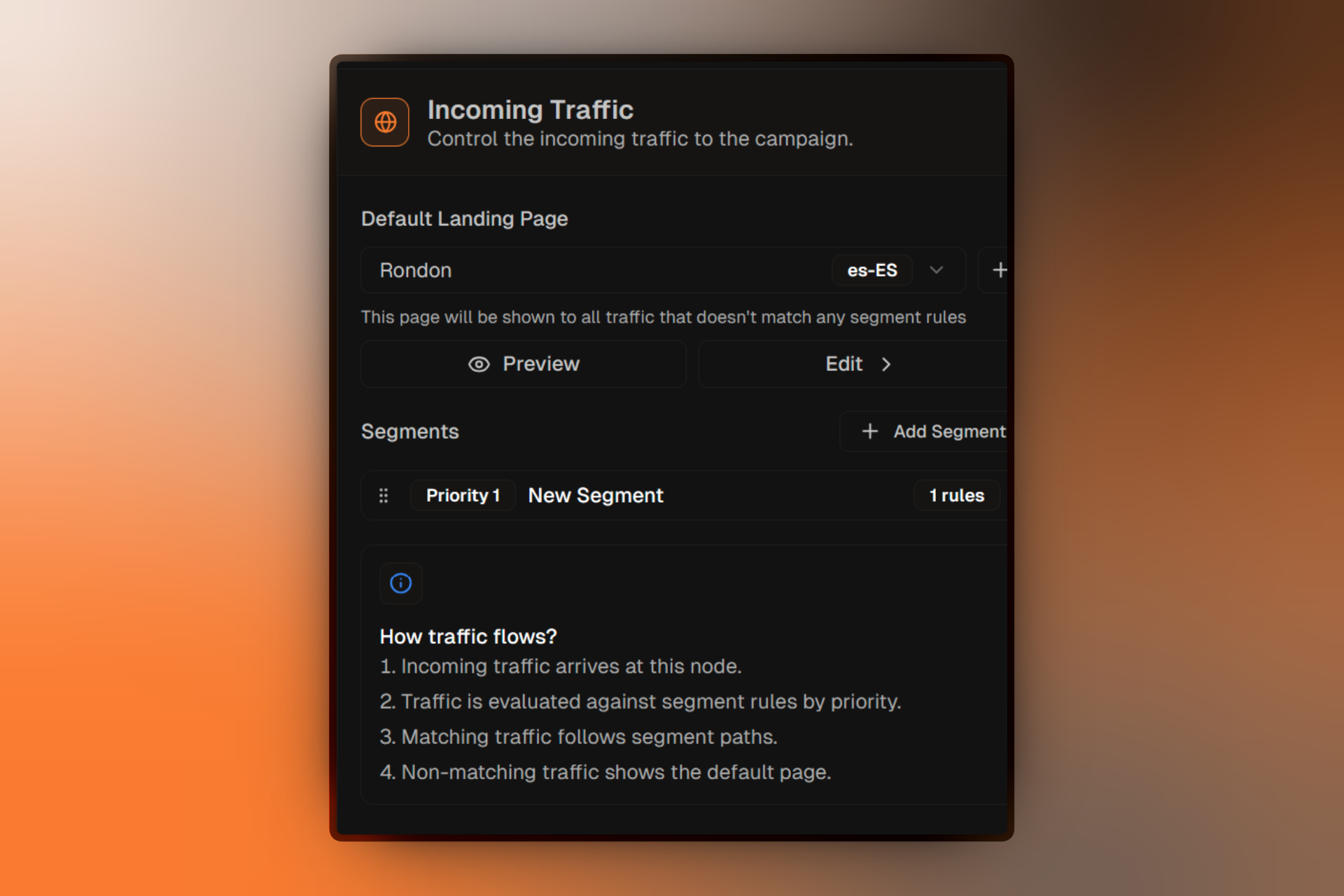
The Traffic node represents everyone arriving at your campaign URL. It's the root of your entire campaign flow and is automatically created for you.
Key Features
- Immutable — Cannot be deleted; every campaign needs an entry point.
- Default Routing — Define a Default Landing Page for visitors who don't match any segment rules.
- Priority Management — Use the Traffic panel to reorder your segments and determine which rules are evaluated first.
Segment Node
Define targeting rules to split your audience
Segments let you show different experiences to different visitors based on rules like device type, location, or source.
Key Features
- Granular Targeting — Apply multiple rules using AND logic.
- Priority-Based — Segments are evaluated from top to bottom. The first one a visitor matches, they enter.
- Multi-language Support — Configure translations to automatically route visitors based on their browser language or URL parameters.
- Fallback Content — Set a Default Landing Page specific to this segment for when no A/B test is running.
A/B Test Node
Compare landing page variants to find the winner
A/B Tests run experiments within a segment to identify which landing page variant performs best against your primary goal.
Test Lifecycle
| Status | Description |
|---|---|
| Draft | Test is being configured and has not yet started. |
| Running | Test is active and currently splitting live traffic. |
| Paused | Test is temporarily stopped; visitors see the segment's default page. |
| Completed | Test has finished. A winner has been declared or championed. |
Configuration Options
- Hypothesis — Document what you expect to happen and why.
- Primary Goal — Select the specific conversion event (e.g., Form Submission) that determines success.
- Completion Criteria — Set the sample size or duration required for the test to conclude.
- Confidence Level — The statistical certainty (default: 95%) needed to declare a winner.
Variant Node
Individual landing pages in your experiment
Variants are the specific landing pages visitors see during an A/B test.
Key Features
- Letter System — Variants are labeled A, B, C, etc., for easy reference.
- Control Version — One variant must be marked as the Control (usually your existing baseline).
- Traffic Allocation — Percentage of traffic assigned to the variant is managed in the parent A/B test.
- Real-time Analytics — Monitor exposures, conversion rates, and win probability directly on the variant node.
Championing a Winner: When a variant is promoted to champion, the A/B test completes, and the winning landing page becomes the Segment's new Default Landing Page.
Notes Node
Add annotations to your canvas
Notes are non-functional annotations used for team communication and documentation.
- Placement — Can be placed anywhere on the backdrop.
- Collaboration — Includes the author's name to help teams track decisions.
- Visual Only — Notes do not affect traffic flow or campaign logic.